Manufacturing Data Books · MDB · MRB · VDB

The equipment is ready. Is the data book?

Every vessel, exchanger and skid ships with hundreds of certificates, reports and drawings. Dossiq collects them from your team, your suppliers and your client — and tells you every morning what still stands between you and approval.

Suppliers and clients never pay · works in the browser, on phones and desktops
SCROLL
The chase

Hundreds of documents. Dozens of senders. One inbox.

3.1 certificates buried in e-mail threads. A WPQ that expired last month. A tracker spreadsheet nobody trusts. Client comments in a file called final_v4. The book is late because the chase never ends.

With Dossiq

Every document has one place to go.

Each requirement becomes a chapter. Each supplier sees only what they owe. Each file lands where it belongs — checked, numbered and traceable, from the first certificate to the client's signature.

BOOK-1 · E-201 · HEAT EXCHANGER

Manufacturing Data Book

1.1Material certificates✓ 12
3.2WPS / PQR / WPQ✓ 6
5.2Radiography reports✓ 9
6.1Hydrostatic test✓ 2
9.0Client comments✓ closed
How it works

Ten weeks in the life of one data book.

Follow the heat exchanger E-201 from the first inspection plan to the client's approval — real screens from a sample project.

01 · Day 1
Plan

The inspection plan becomes the book.

Build the ITP with hold, witness and review points — or import your client's. Every record it calls for becomes a chapter, numbered the way your client wants.
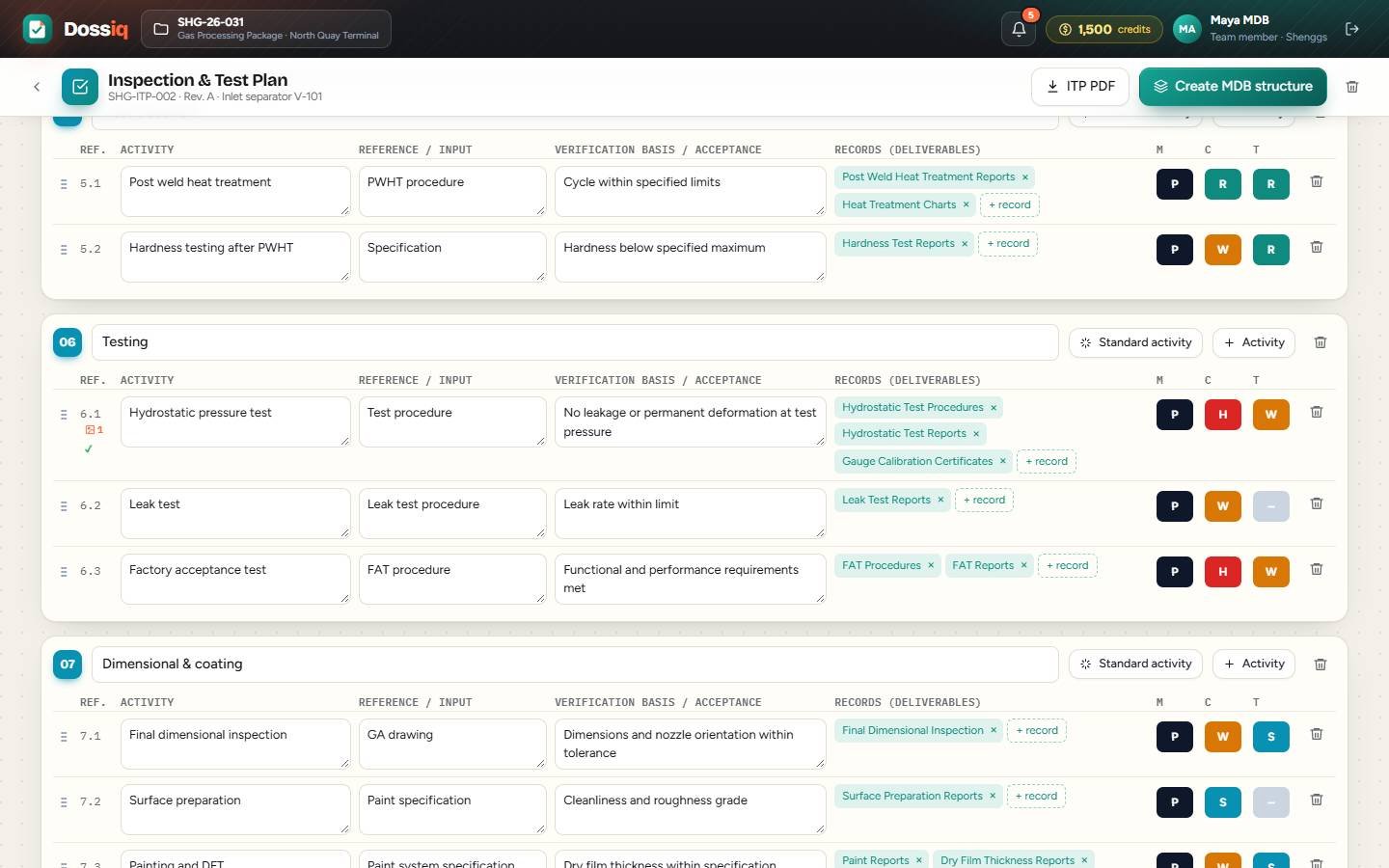
ITP with hold points
02 · Week 2
Collect

Suppliers deliver into the book, not your inbox.

Ask each supplier for exactly what is needed and by when. They see only their chapters, get reminded when they are late, and upload straight into place.
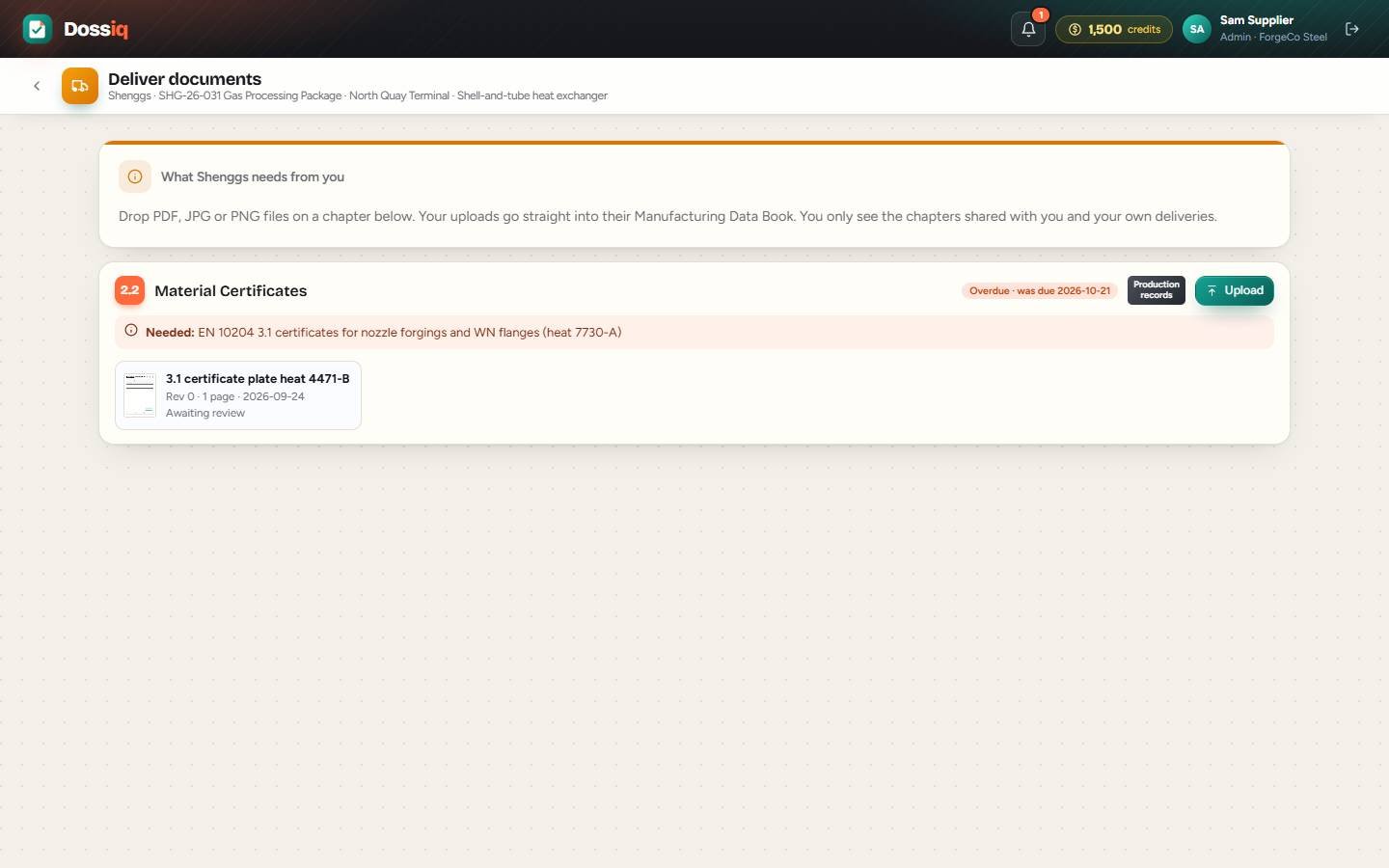
Supplier portal
03 · Week 5
Witness

Hold points released from the shop floor.

The inspector scans a QR code, picks the ITP activity and takes photos. They are stamped, filed as PDF pages — and the hold point is released.
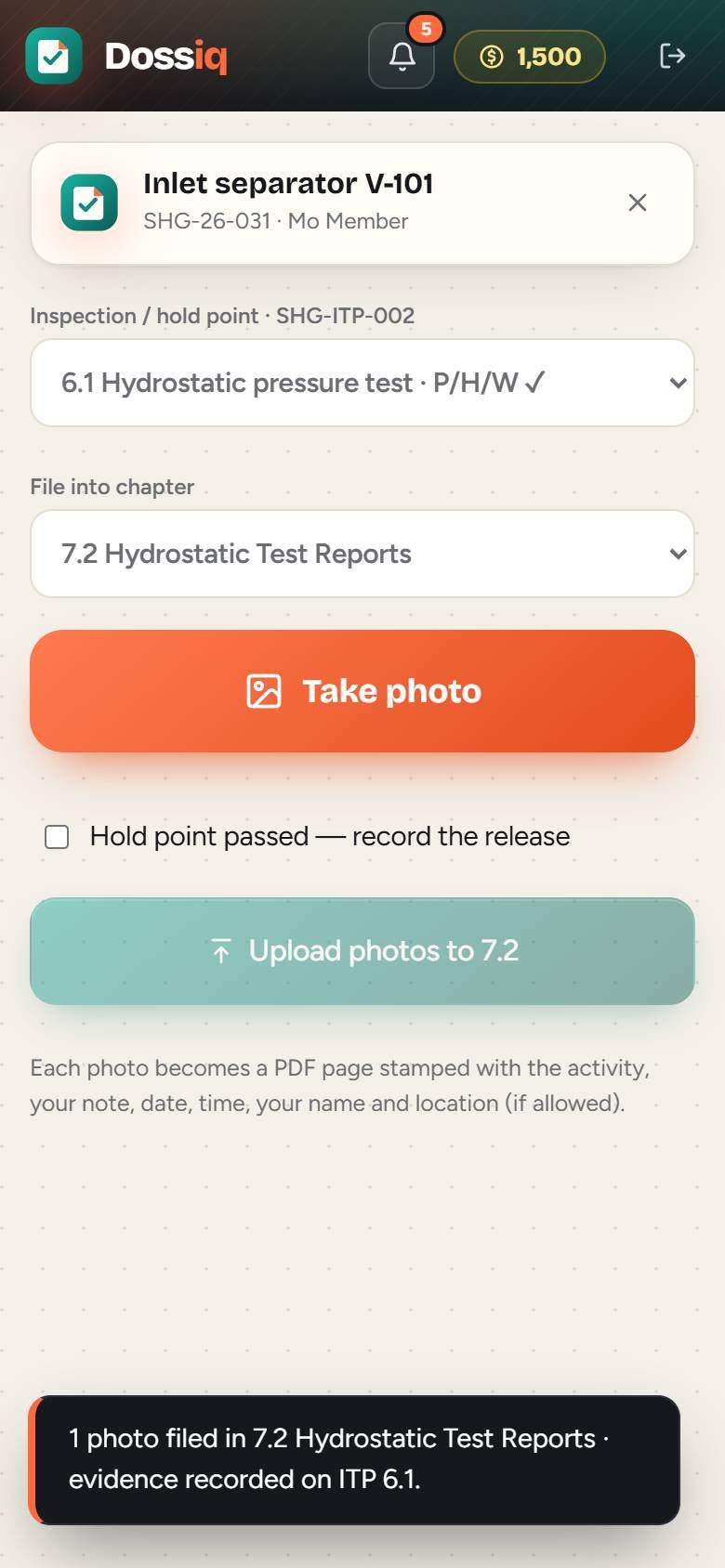
Phone capture at the hydrotest
04 · Week 7
Check

Every heat number matched to its certificate.

Traceability lists are checked against 3.1 certificates, validity dates are read from the PDFs and duplicates are skipped. What is missing becomes a blocker on day one — not at handover.
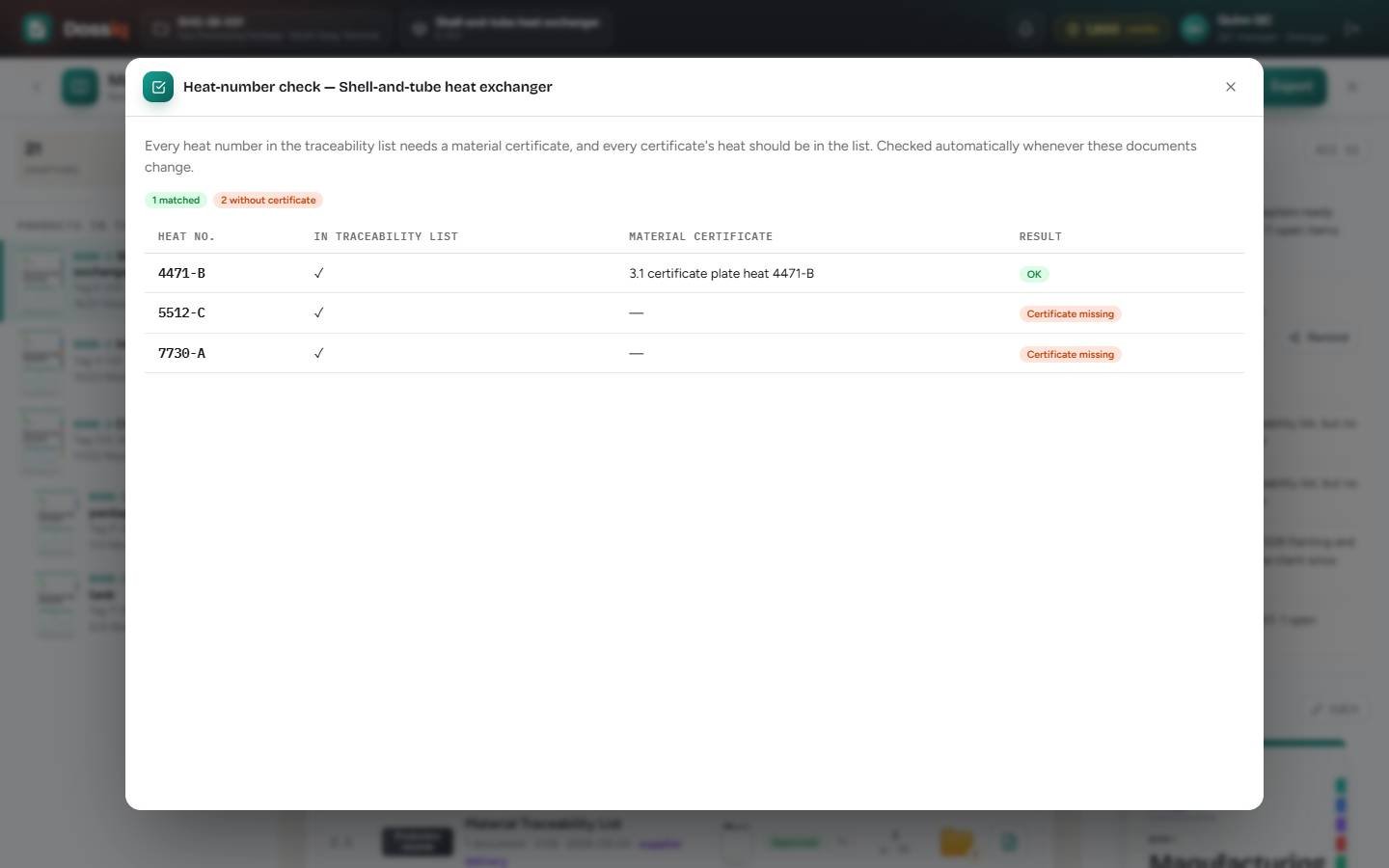
Heat number check
05 · Week 9
Review

Your client comments on the page.

Issue the book with a numbered transmittal and a deadline. The client marks up documents online, and every comment is a thread you answer and close.
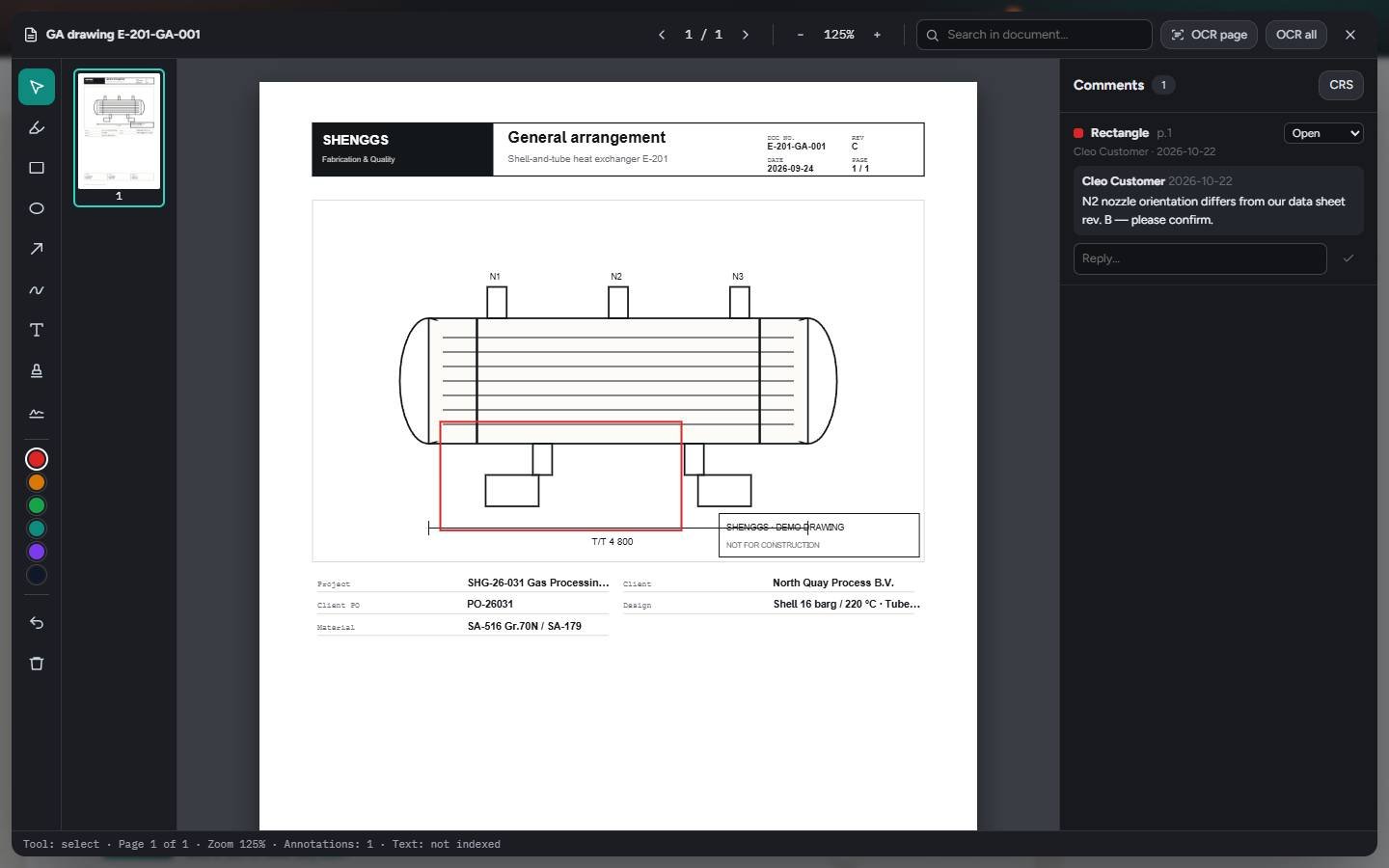
Client review on the page
06 · Week 10
Approve

Approved. One bookmarked PDF.

Issued for review, issued for approval, approved. Export the whole book — cover, index, dividers, bookmarks, stamps and your logo — or one PDF per chapter.
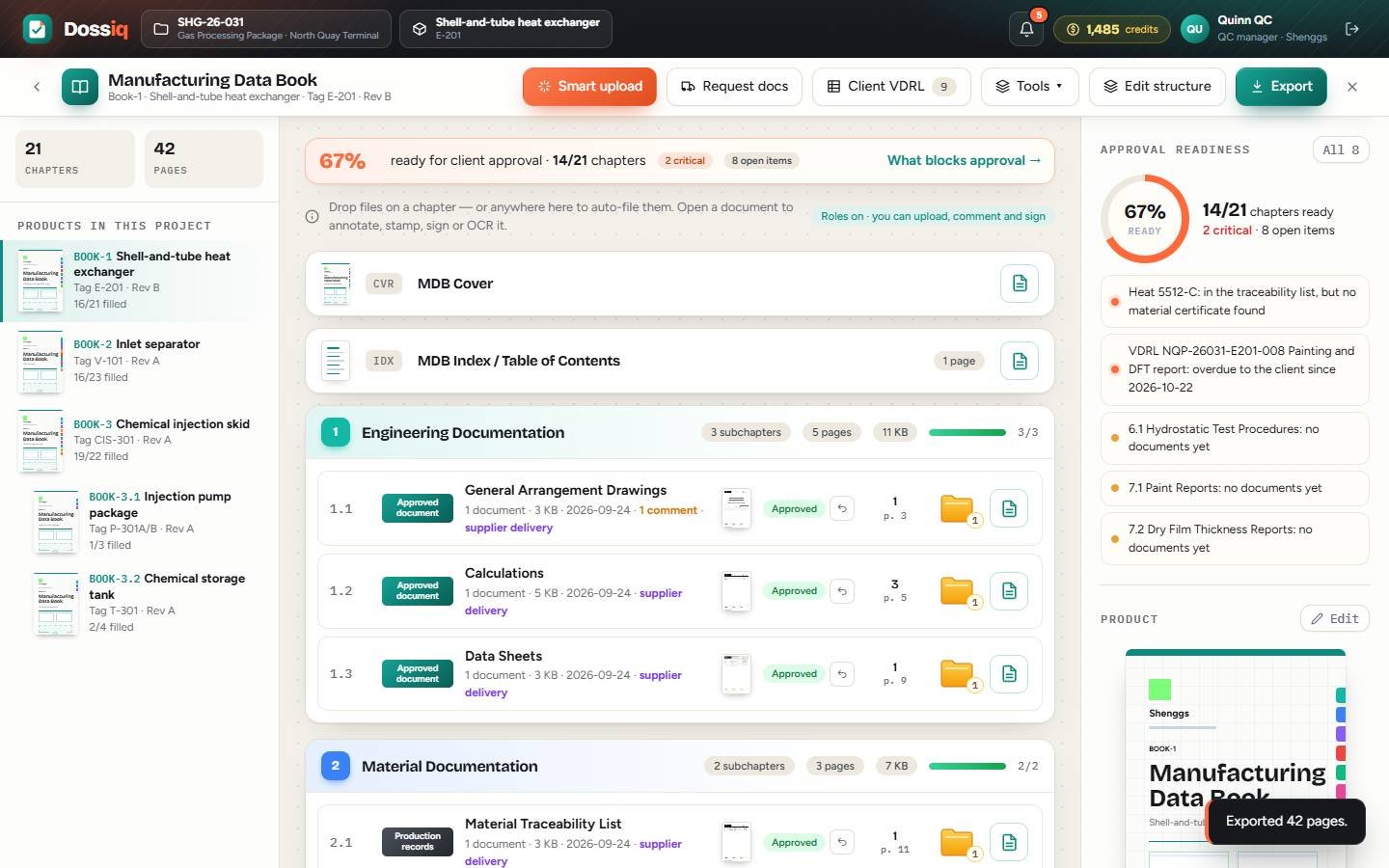
Approved book export
DAY 1ITP with hold points
Every morning

Know what blocks approval — before your client does.

A live readiness score for every book, and the exact list of what still stops the signature. Scroll, and watch the blockers close.

  • Heat 5512-C has no 3.1 certificateCheck
  • ForgeCo is 4 days late with nozzle forgingsCollect
  • WPQ-07 expired on 15 OctoberCheck
  • VDRL line 14 is overduePlan
  • 2 client comments still openReview
38%Not ready yet
Everything in one place

Three jobs. One tool. No trackers.

01

Plan & collect

Know what the book needs, and get it from the people who have it.

  • ITP Builder, or import the client's ITP
  • Client VDRL from Excel or CSV
  • Supplier portal with due dates and reminders
  • Smart upload files every document in place
02

Check & trace

Catch problems while there is still time to fix them.

  • Mark up, stamp and sign on the page
  • Heat numbers matched to 3.1 certificates
  • Every revision kept, every expiry read
  • Photos from the hold point, straight from a phone
03

Issue & approve

Hand over a book your client can approve the first time.

  • Numbered transmittals with deadlines
  • Client review portal: comment, approve, reject
  • Bookmarked PDF or chapter ZIP
  • Your logo and your client's document numbers
0place for every blocker of every book
12tracker spreadsheets to keep in sync
0click to remind a late supplier
0roles working in the same book
For every role

One book. Seven people. Every step.

Pick a role and see their day — real screens from a sample project with a heat exchanger, a pressure vessel and an injection skid.

Get started

Ship the book with the equipment.

Start with one project today. Colleagues with your company e-mail join your team automatically; suppliers and clients join free with the address you share a book with.